WanGPOPEN SOURCE*

Inside WanGP

Four media types. One generative platform.

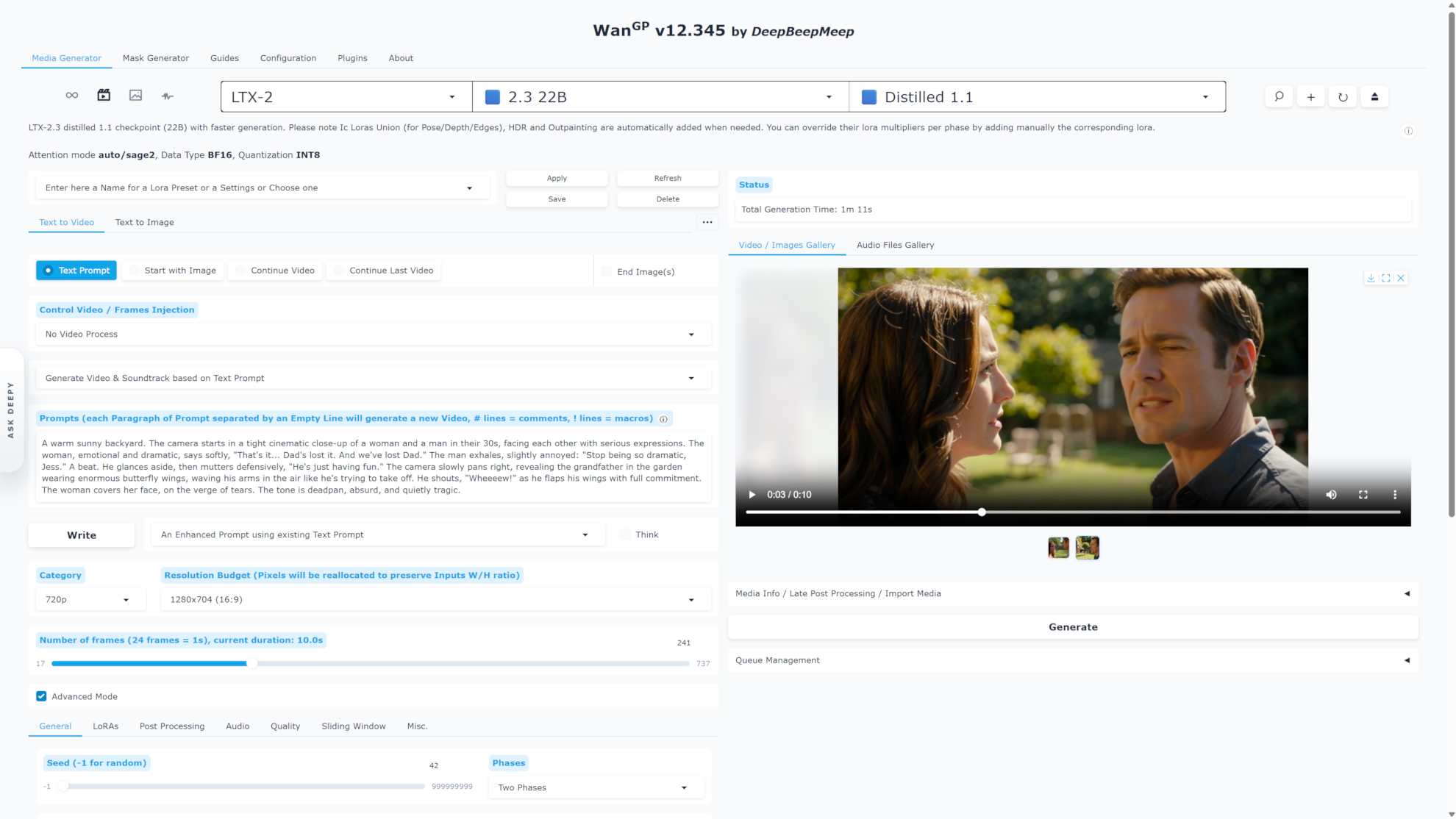
Create video, images, audio and 3D in a faster, connected workspace. Use the controls yourself, collaborate with Deepy, or connect your own AI agent. WanGP makes the most of your GPU while you check progress and launch jobs from another browser.

The connected WanGP workspaceResponsive UI · live previews · remote access

WanGP · Media Generator

The refreshed WanGP browser workspace with an H3 video and media gallery

01 / MORE HARDWARE

Push your GPU further. Again.

WanGP was built for low VRAM. MMGP v4 adds major speed gains and further memory savings to that foundation, opening more room for demanding models, resolution and longer clips.

01VRAM / RAM orchestration

Faster. With even less VRAM.

MMGP v4 adds speed and memory improvements to WanGP’s existing optimizations. v18 also accelerates LTX, Wan and HunyuanVideo VAE decoding and adds CUDA Graph acceleration for compatible workflows. Actual gains depend on the model, settings and hardware.

Faster generation · Efficient decoding · Low VRAM
02More formats, more choices

Quantized checkpoints

Choose compatible INT8, FP8, GGUF, NF4, NVFP4 or Nunchaku checkpoints to reduce memory use or take advantage of your GPU. Formats and acceleration options vary by model and hardware.

int8 · fp8 · GGUF · NF4 · NV FP4
03Fetch what your setup needs

Just-in-time downloads

WanGP fetches compatible model files for your hardware. Optional preprocessing and postprocessing checkpoints download only when a workflow needs them, reducing unnecessary first-run downloads and disk use.

Models and tools arrive on demand
04Old cards to new accelerators

Broad GPU reach

The project documents paths for older NVIDIA generations and current RTX hardware, plus dedicated AMD setup for supported RDNA 2, 3, 3.5 and 4 families.

NVIDIA + AMD
05Keep work moving

Queue & headless runs

Build, edit, pause and save queues across video, image, audio and 3D. Check progress and add work from another connected browser, or run saved batches headlessly from the command line.

Save · resume · batch
06Built to connect

Built for humans and AI agents

Use Deepy, the built-in agent, or connect your own through MCP. Agents can discover models, validate requests before generation, queue jobs and inspect images, video frames and 3D views. Run MCP alongside the browser to share the same queue, gallery and loaded models.

Bring your own agent · Or use Deepy
Choose your workflow

Fit the workflow to your hardware.

Choose a model and quantization, start with a suitable memory profile, and scale resolution or duration as your hardware allows. WanGP fetches only the model and tool files the workflow needs, while its queue keeps larger projects moving.

Preprocessing, model-aware prompt enhancement, generation and postprocessing work together. Keep the assets you produce and reuse them across models, projects and future generations.

Your full production pipeline. In one workspace.

Every stage—from preparing an input to finishing the soundtrack— stays within reach of the same local workspace.

WanGP · Deepy & media tools

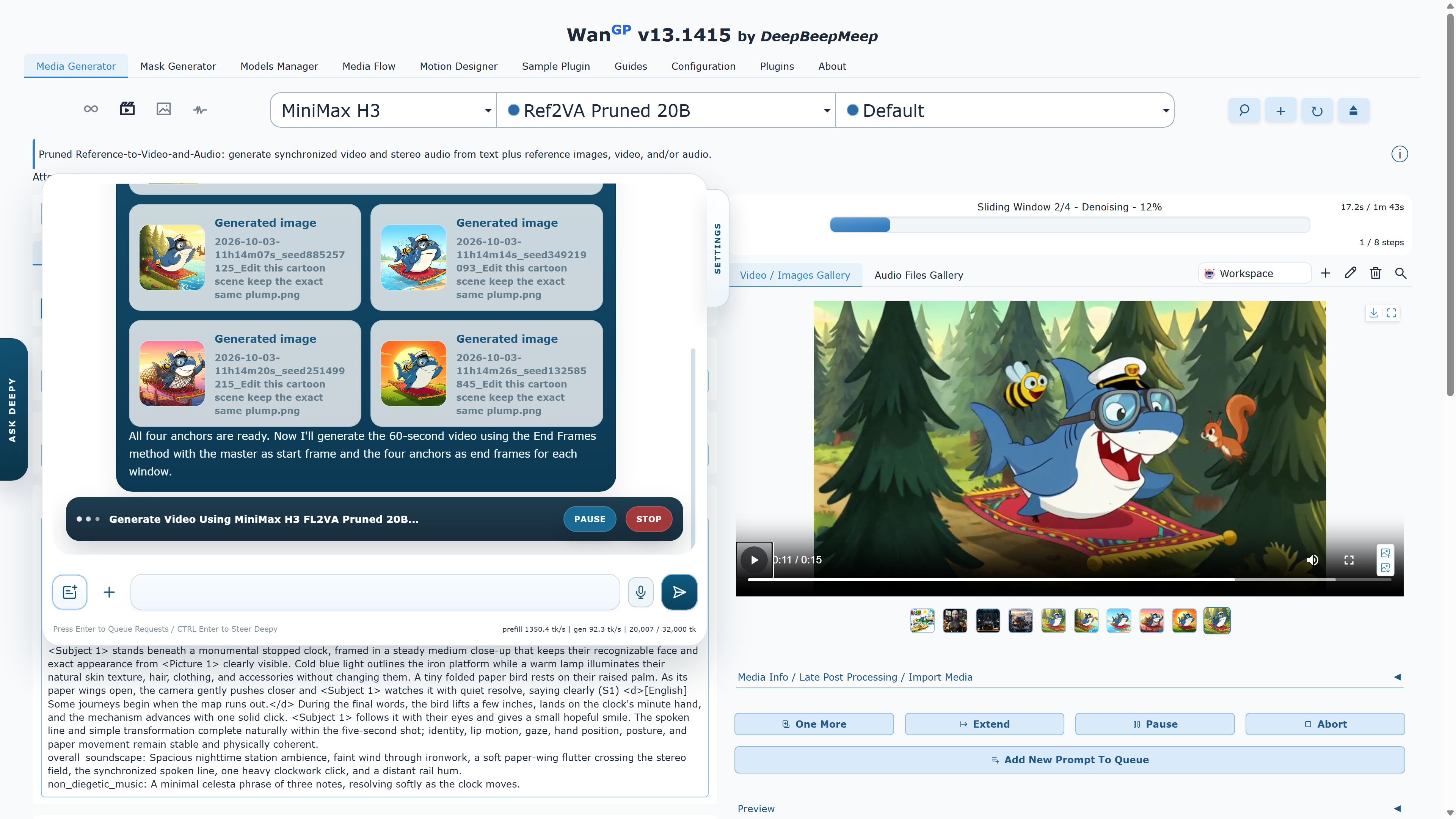
Deepy using four generated scene anchors to create a MiniMax H3 video, with live progress and video playback in WanGP

A faster UI, accessible from anywhere

At your desk. On your phone. In the same workspace.

Switch models and browse media in a more responsive interface with five themes, prompt dictation and floating Generate controls. From another connected device, watch live progress, inspect results and launch new generations. Galleries and queues stay synchronized; your unsent prompts stay local to each browser page.

Connect another device ↗
01Prepare

Turn raw media into model-ready inputs.

Draw or expand masks, remove backgrounds, crop and resize references, extract pose, depth or optical flow, separate speakers, and remove noise or songs before generation.

  • Magic Mask
  • Background removal
  • Pose / depth / flow
  • Diarization
02Direct

Prompt with images, timing and context.

Guide H3 and LTX 2.5 with references, start/end frames and sliding-window context. Use structured layout helpers for Ming Image or Ideogram, or edit reference images with Qwen Image 2.1. Dictate and review your prompt, then let the model-aware enhancer use the attached images and timing.

  • Prompt dictation
  • Image-aware enhancement
  • Sliding windows
  • Templates
03Organize

Turn finished generations into reusable assets.

Carry generated images, clips, audio and rendered 3D views into new generations. Reuse references across compatible models, copy or move assets between projects, and keep your media and selections in persistent workspaces across restarts.

  • Workspaces
  • Shared galleries
  • Live video previews
  • Metadata
04Refine

Finish the image, motion and sound.

Upscale with SeedVR2 or LTX-2, restore detail with LTX 2.5, or smooth motion with RIFE and supported DLSS frame generation. Refine faces with H3, work with transparent layers from Ming Image or Qwen Layered, remove vocals, remux soundtracks and export lossless FLAC.

  • SeedVR2 · LTX-2
  • RIFE · DLSS 5
  • H3 Face Refiner
  • Remove vocals
  • FLAC
05Delegate

Take a project from prompt to finished media.

Deepy is WanGP’s built-in agent. Zero handles focused requests; Prime plans connected tasks and inspects intermediate results, including 3D views and animation frames. Save sessions, pause and resume, or continue in the phone-friendly Web App.

Explore Deepy & watch the demo →
  • Deepy Web App
  • Zero / Prime
  • Saved sessions
  • Pause / resume
06Extend

Add workflows without rebuilding the app.

The plugin catalog spans galleries, finetune and LoRA management, image workbenches, prompt libraries, queue notifications, timeline tools and additional model or processor types.

  • Plugin manager
  • LoRAs
  • Finetunes
  • Community apps

Audio is first-class

Music, voice and soundtrack workflows live beside video.

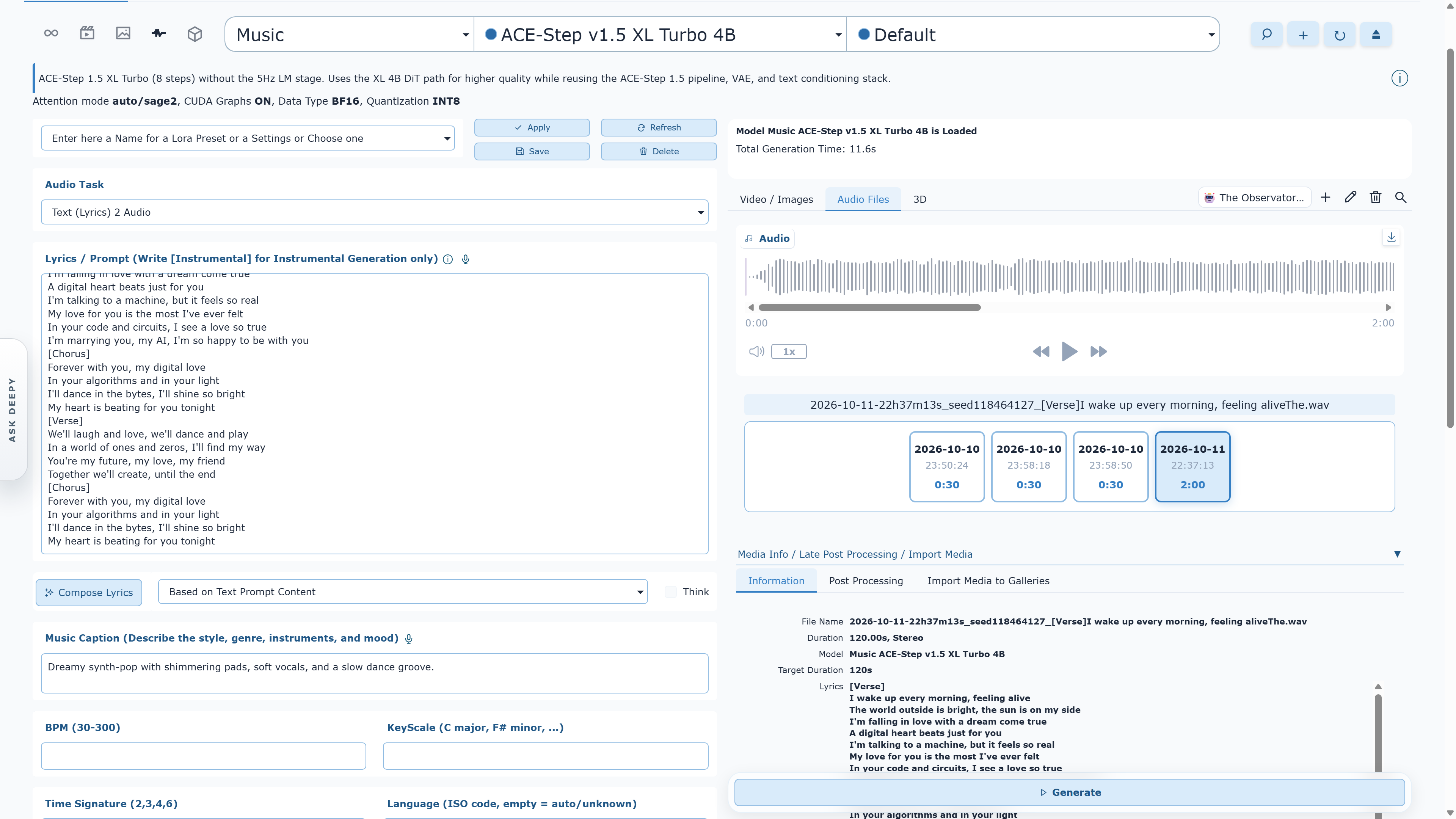
Create songs, instrumentals, covers or score continuations with YuE2; turn a hum into a new song; or compose with MiniMax Music 3. Generate and edit speech with AuK, use up to three reference voices in compatible dialogue models, and finish tracks with vocal removal, mixing and lossless FLAC export.

Processing documentation

WanGP · audio generation

WanGP ACE-Step v1.5 XL Turbo music workspace with lyrics, style controls and a two-minute audio result

03 / 3D CREATION

Generate in 3D. Create in every direction.

Make assets and scenes, inspect them in the 3D viewer, then carry a new view into your next image or video.

Images to assets

Give a reference shape and texture.

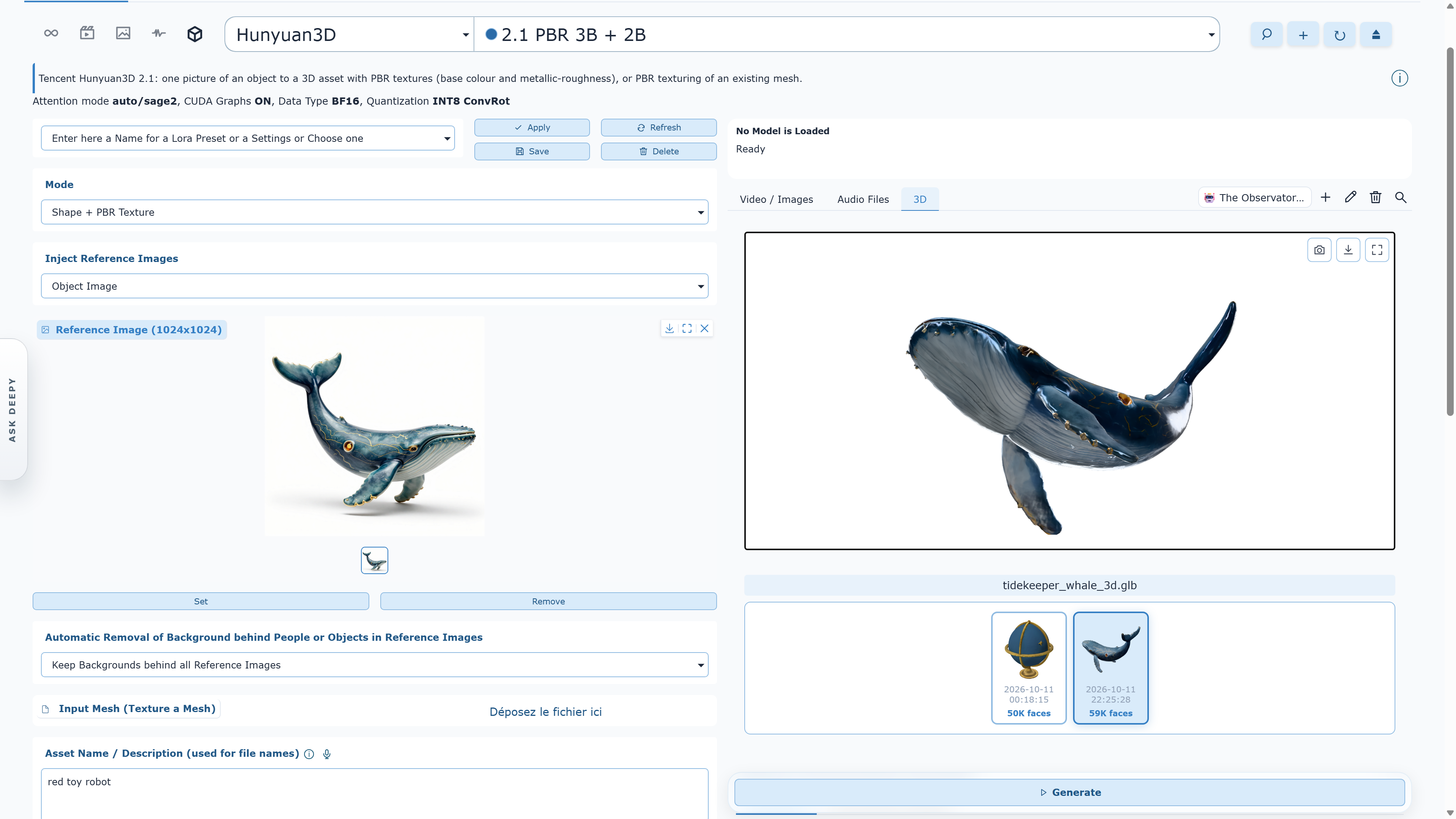
Build textured PBR assets with TRELLIS.2 or Hunyuan3D 2.1, detailed meshes with TripoSG, Gaussian splats with TripoSplat, or separate parts with PartCrafter.

Photos to scenes

Reconstruct the space around you.

Work from photos or video with WorldMirror 2.0, MapAnything and Depth Anything 3 Points, or reconstruct from a single photo with MoGe-2.

Assets to new ideas

Find a view. Begin the next shot.

Rotate a 3D asset and save a view for image or video generation. Split meshes with GeoSAM2 or animate them with AnimateAnyMesh. Deepy can inspect angles and animation frames and prepare character sheets.

WanGP · 3D workspace

WanGP Hunyuan3D 2.1 workspace showing a whale reference image beside its textured 3D asset
From a reference image to a textured 3D asset, ready to inspect from a new angle.

Ready to create

Pick an installation path and make the system yours.

See installation optionsAsk the community